
Your folders.
Your music. Just play.
Chew Player is a simple, folder-based music and video player for macOS and Windows. Point it at your folders, and it plays almost any format, fills in missing details from open databases and sends videos to your TV.
Free & open source · MIT licensed · No account, no cloud, no tracking
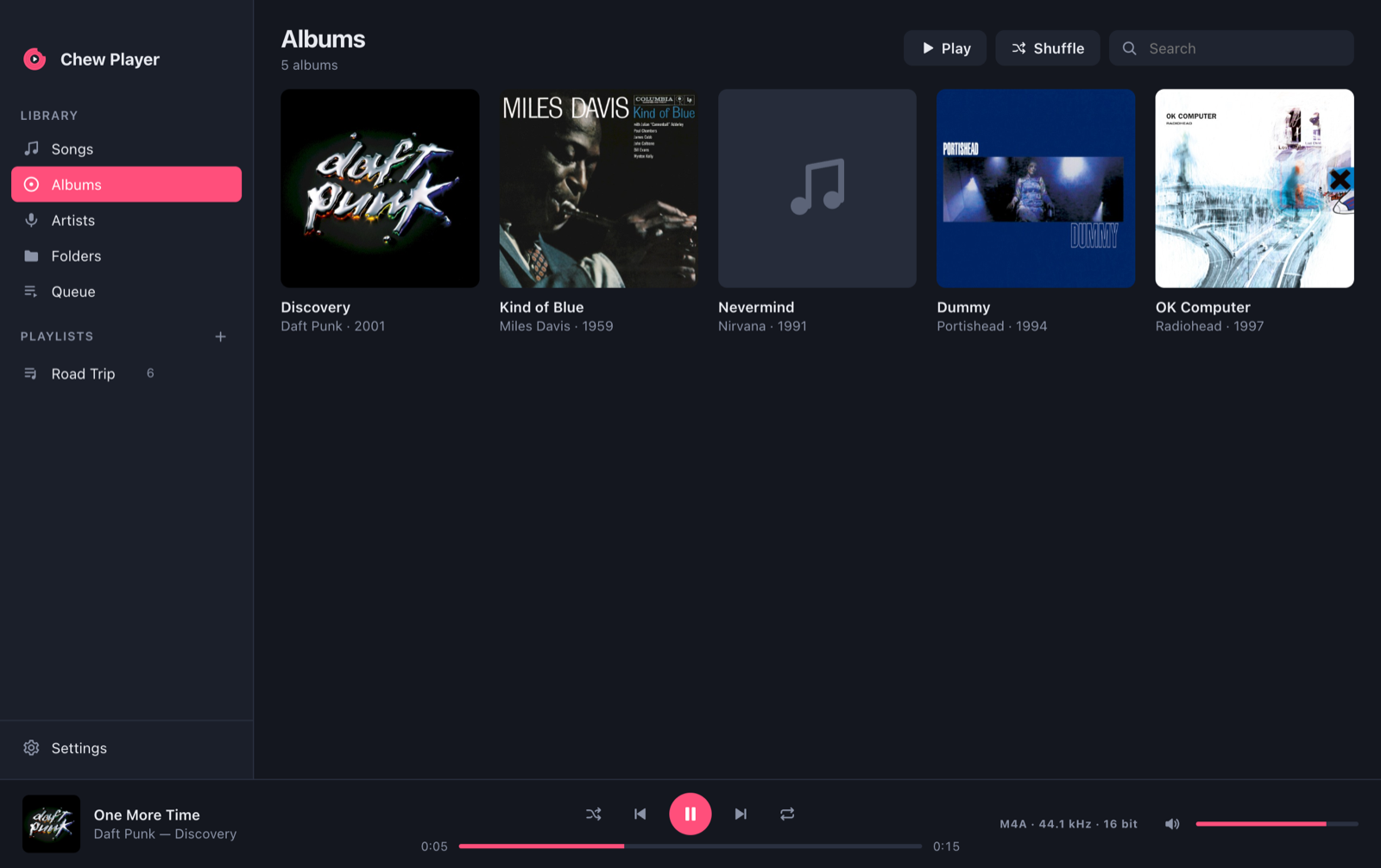
Everything a music player needs.
Nothing it doesn't.
Remember when a music player just played your music? Chew Player brings that back with a clean, flat look.
Folders first
Add your music folders and Chew Player watches them, so new albums show up on their own. You can browse the real folder tree or use Songs, Albums and Artists.
Fills the gaps
Missing artist, album, year or cover? Chew Player reads your folder names, then looks the song up in MusicBrainz and the Cover Art Archive.
Plays (almost) anything
Common formats play natively. Lossless and exotic files like ALAC, APE, WavPack, WMA and DSD are decoded on the fly by the bundled FFmpeg.
Playlists, simply
Drag songs onto a playlist and reorder them. Smart playlists fill themselves from rules like “4+ stars, not played in 3 months”. M3U import and export are included.
Hands off your files
Chew Player never moves, renames or rewrites your files. Your tag edits and playlists live in its own small library.
Fast & friendly
Smooth with tens of thousands of songs. Includes gapless playback, ReplayGain, output device selection and light & dark themes. You can convert to MP3/MP4 or copy straight to an MP3 player or SD card.
Your movies and shows.
Same simple idea.
One switch at the top turns Chew Player into a video player. It recognises movies and TV episodes from their file names and fetches posters, episode titles and plot summaries from Wikipedia and TVMaze.
- Continue watching where you stopped, and the next episode is lined up
- MKV, AVI, WMV, MPEG-2 … are converted on the fly, and seeking still works
- Subtitles and audio tracks, embedded or as .srt files next to the video
- Picture in Picture, playback speed, full screen and keyboard shortcuts
Send it to the big screen
Formats the TV can’t play are converted on the fly, and subtitles come along burned into the picture.
If it's audio, it plays.
Chew Player doesn't care where your music came from, whether that's a ripped CD, a hi-res download or an old WMA collection.
- Add a folderPick the folder where your music lives, or just drag it onto the window.
- Let it chewChew Player reads the tags, finds cover images and guesses what's missing from your folder layout.
- Look it upAnything still unknown is matched against MusicBrainz, and album art comes from the Cover Art Archive.
- Press playDouble-click a song, build a playlist or hit shuffle.
Get Chew Player
Free, open source and small. Pick your platform:
xattr -cr "/Applications/Chew Player.app" in Terminal. On Windows, click
More info → Run anyway in the SmartScreen dialog.
All releases are listed on GitHub Releases.